An account linking feature which allows for a "single sign on" type access for both the main Anti-Spam Firewall admin, the Domain Admins and individual email user accounts is available on all Anti-Spam Firewall system models with the exception of the base Anti-Spam Firewall Lite edition. This account linking feature allows domain owners/admins who may have more than one domain being serviced by the system to log into one main account and from this account they will have direct login access to the accounts for any of their other domains on the system which have been linked to their main login account by the Anti-Spam Firewall admin. Similarly, either the main Anti-Spam Firewall admin or the domain admins can link individual user accounts so that if a user has more than one email address/account being served by the system they will be able to log into the one main control panel account and from there be able to log directly into any other linked accounts on the system.
If the Linked Accounts feature is available on your Anti-Spam Firewall you will see a button named "Linked Accounts" in the left hand side menu.
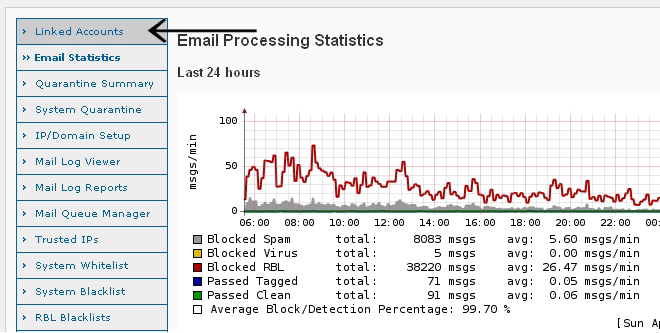
To log into another account either as an admin or a domain admin select "Linked Accounts" in the menu bar. On the linked accounts screen will be a drop down selection box which contains all accounts which you have access permissions to log into directly from your own control panel login account. If you are the main admin user this would be all accounts of any type on the system. If you are a domain administrator this would be all user accounts set up on the system under your domain and also any other domain admin accounts which the main Anti-Spam Firewall admin has linked to your account.
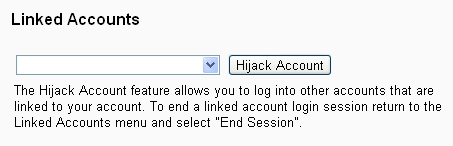
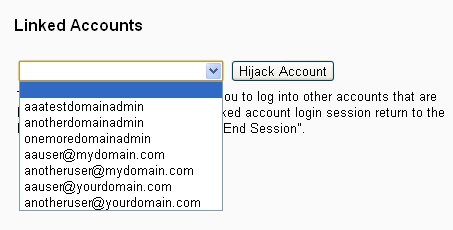
After choosing an account from the drop down menu and selecting the "Hijack Account" button you will be logged into the selected account with the exact same access and permissions of the account as if you were the account owner and had logged directly into the account. You will be able to view and manage any quarantined email and other settings associated with the account such as Spam scoring levels and whitelist and blacklist settings etc.
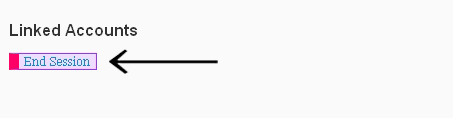
Once you have finished any required operations you can log out of the account by returning to the "Linked Accounts" screen and selecting the "End Session" link.
Further information on Account Linking and how the main Anti-Spam Firewall administrator and the domain admin users are able to link user accounts can be found under Account Linking in the Manage User Accounts section of this guide.
 Email Statistics
